Have questions? We are here to help. Call the experts at 1-800-624-8107

This class focuses on how to use various features of most point and shoot digital cameras to take great photographs. Camera menu options and features common to most brands are covered along with compositional techniques to improve your photography. Topics include: Digital Terminology Camera and Memory Care Quality Settings Menu Options In-Camera Editing How to Focus Properly Flash and Lighting Options NOTE: This class does not cover any computer related issues.
Find out more »
Tamron's Beyond the Kit Lens: How to Select the Correct Lens Are you new to photography and wondering what all those letters & numbers mean on a lens? Are you an intermediate photographer wondering if your lens is holding you back? Join Tamron tech rep Mike P. as he explains how to choose a lens that's right for you.
Find out more »
Tamron's Intro to Sports and Action Photography Join Tamron Rep Jeff Allen as he teaches tips on how to capture action as it happens. Indoors or outdoors, we'll discuss the importance of light when photographing any sport. Discover how anticipation, panning focus, and multiple burst modes will decrease the number of missed shots and blurry images. This FREE class will give you the tools to approach photographing sports and action the correct way, and in return, you'll capture more consistent,…
Find out more »
Canon: Wifi Workflow and Editing on the Go Join Canon Tech Rep Chad Tindel as he demos the apps available from Canon and how to process raw files from any of the current mirrorless cameras. The lesson will cover how to transfer raw images wirelessly as well and some backup tips and tricks
Find out more »
Sony Mirrorless Tips and Tricks Did you know you can customize your camera's operations and button layout? Ever wonder what HDR, Eye-AF and silent shooting are all about? Learn all about these and understand the advantage of Sony's E-mount lens system. Unlock the full potential of your Sony mirrorless camera in this informative class. Class topics include controlling focus, customizing your camera menu and buttons, extending battery life and much much more!
Find out more »
This class is designed for people using a digital SLR camera for the first time. Camera menu options and features common to most brands are covered. Class topics include: Basic Equipment Deleting and Formatting Focus and Drive Modes Photography Terminology Introduction to Exposure Modes Using Your Flash Composition Please note that you will not be using your camera during this class, however you are welcome to bring it. Also, this class does not cover any computer related issues.
Find out more »This class builds upon the topics covered in our Digital SLR 1 class. We highly recommend that customers attend the Digital SLR 1 class first. Class topics include: Lens Compression White Balance Photographic Terminology Components of Depth of Field Flash Photography Exposure Compensation Understanding Histograms Rule of Thirds
Find out more »This class builds upon the topics covered in our Digital SLR 1 class. We highly recommend that customers attend the Digital SLR 1 class first. Class topics include: Lens Compression White Balance Photographic Terminology Components of Depth of Field Flash Photography Exposure Compensation Understanding Histograms Rule of Thirds
Find out more »This class is designed for people using a digital SLR camera for the first time. Camera menu options and features common to most brands are covered. Class topics include: Basic Equipment Deleting and Formatting Focus and Drive Modes Photography Terminology Introduction to Exposure Modes Using Your Flash Composition Please note that you will not be using your camera during this class, however you are welcome to bring it. Also, this class does not cover any computer related issues.
Find out more »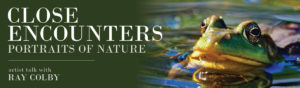
Come experience CLOSE ENCOUNTERS The new book by Minneapolis artist and paleontologist Ray Colby. https://raycolbyencounterswithnature.com/ CLOSE ENCOUNTERS is a unique look at nature close up, and on occasion rare sightings of creatures. The photographs selected for this book are created with the utmost understanding of light and composition. You will encounter mammals, birds, reptiles, amphibians, insects and arachnids, with a special chapter on insects preserved in amber from thousands of years ago. This collection of images are the author’s…
Find out more »